Coming soon · iPhone, iPad, Mac & visionOS

A keepsake box for your private files.

Claspbox encrypts your photos, videos, PDFs and recordings right on your device. No account to create, no servers holding your files, and your keys never leave your hands.

Coming soon on the App Store Take a look inside How security works

AES-256-GCM on device · Zero accounts · Verifiable offline backups

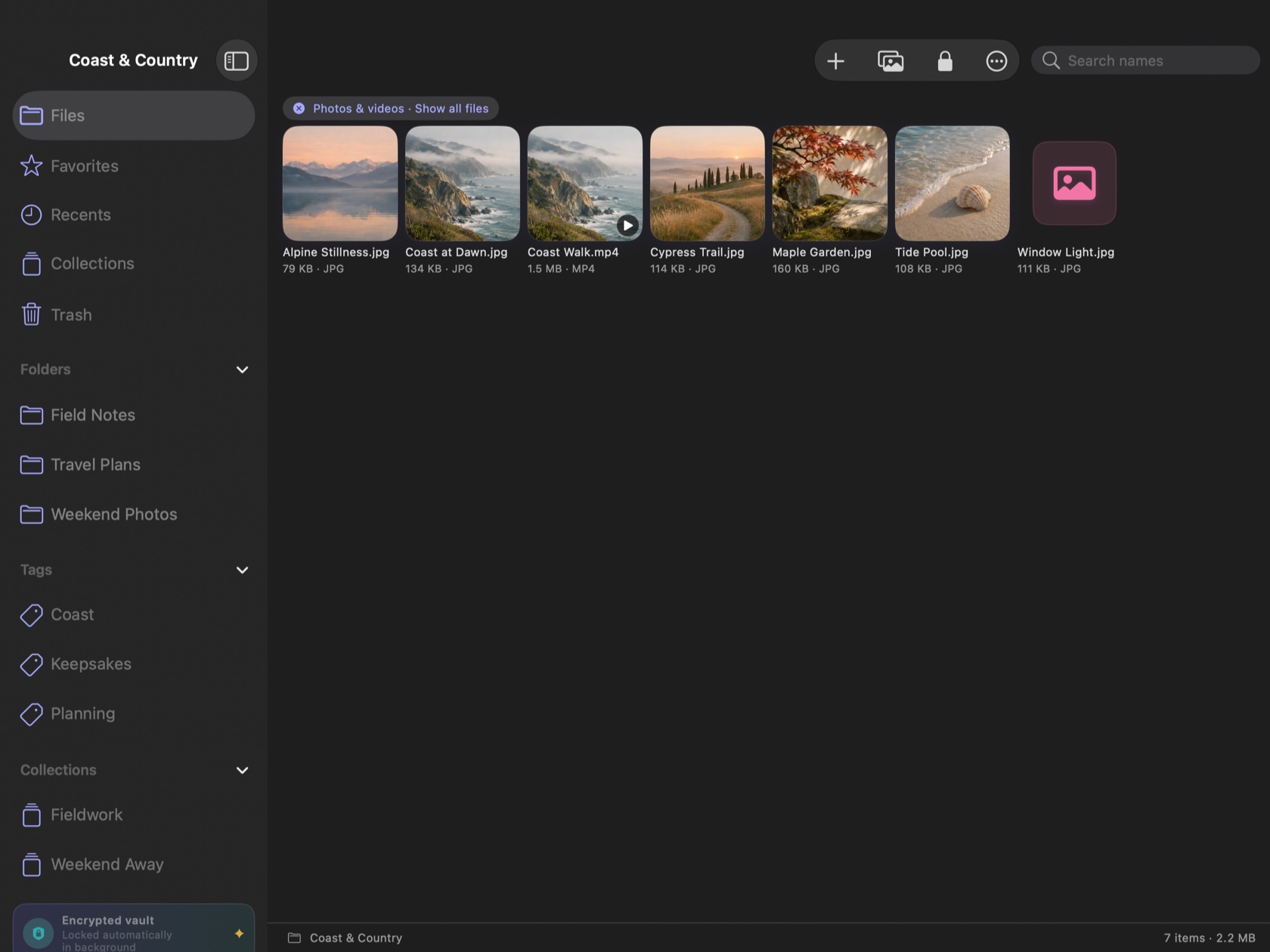
Claspbox on Mac showing an encrypted file library with sidebar navigation, folders, tags, collections, and thumbnails
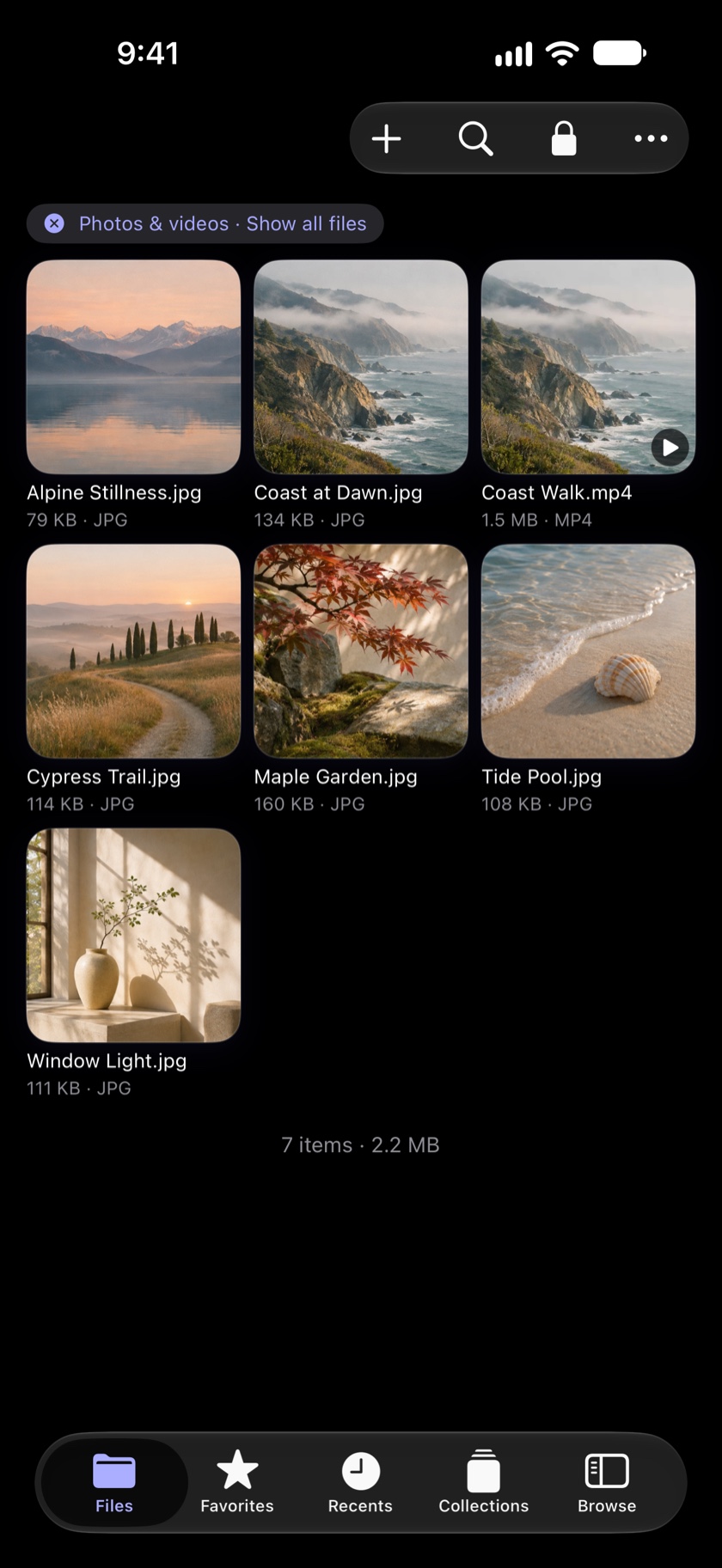
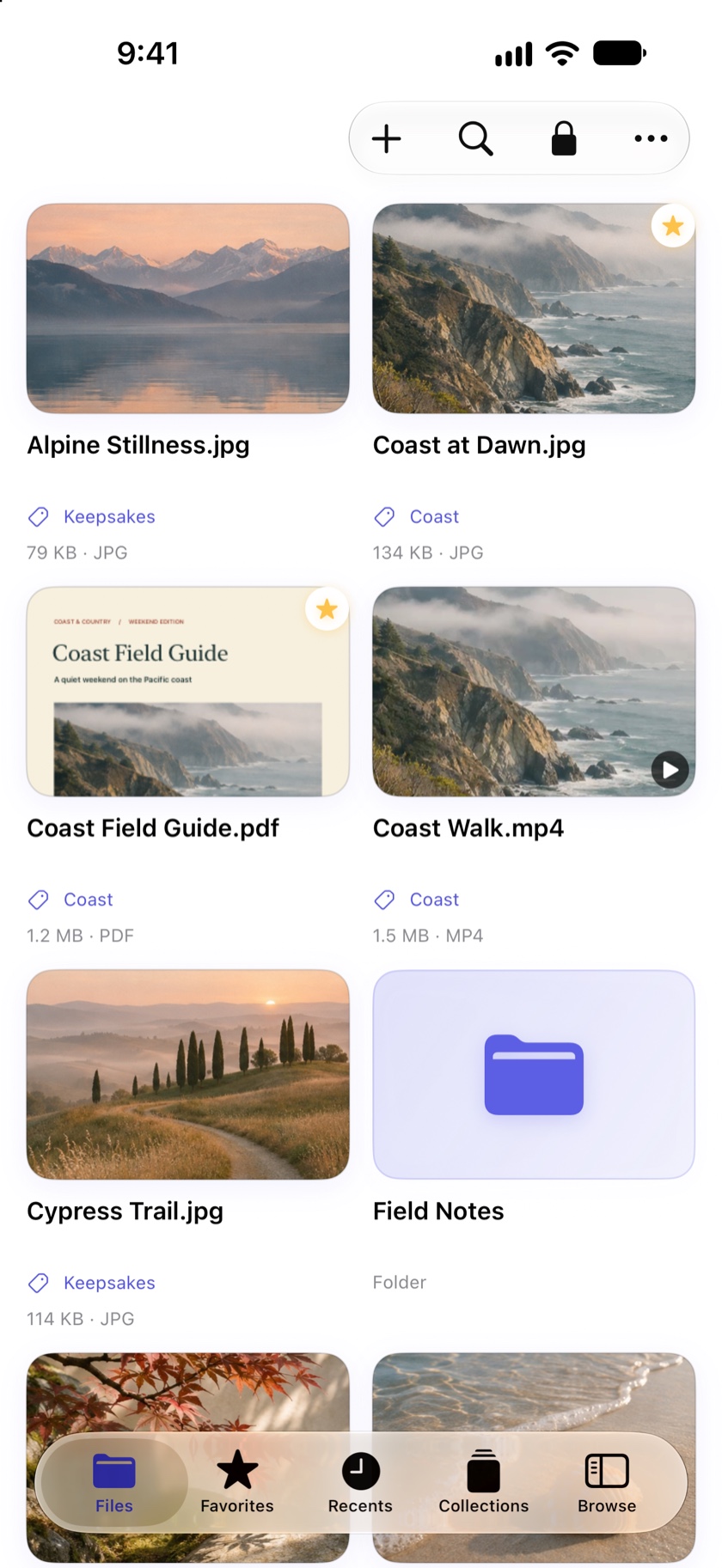
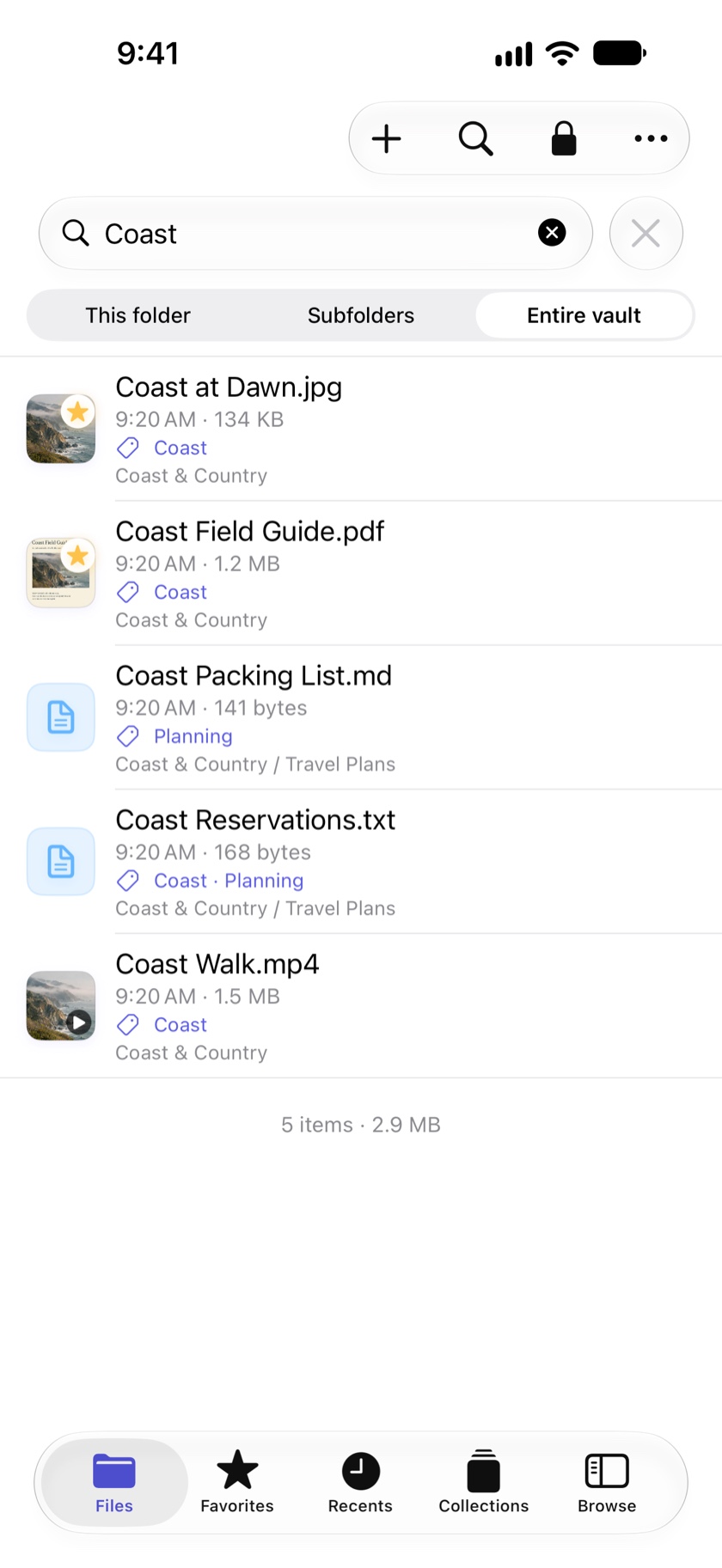
Claspbox on iPhone showing encrypted photos, PDFs, videos, and folders
  • iPhonePocket vault & camera import
  • iPadPinned sidebar & shortcuts
  • MacNative desktop library
  • visionOSSpatial support coming

Inside Claspbox

Quietly organized. Built to open everything inside.

Browse photos, read PDFs, search across folders and manage separate vaults without ever exporting a file to open it.

Built-in viewers

Every kind of keepsake stays inside the vault.

Photos, videos, PDFs, audio, spreadsheets, archives and plain text open right inside Claspbox. Encrypted thumbnails render fast in grid or list view and clear the instant the app locks.

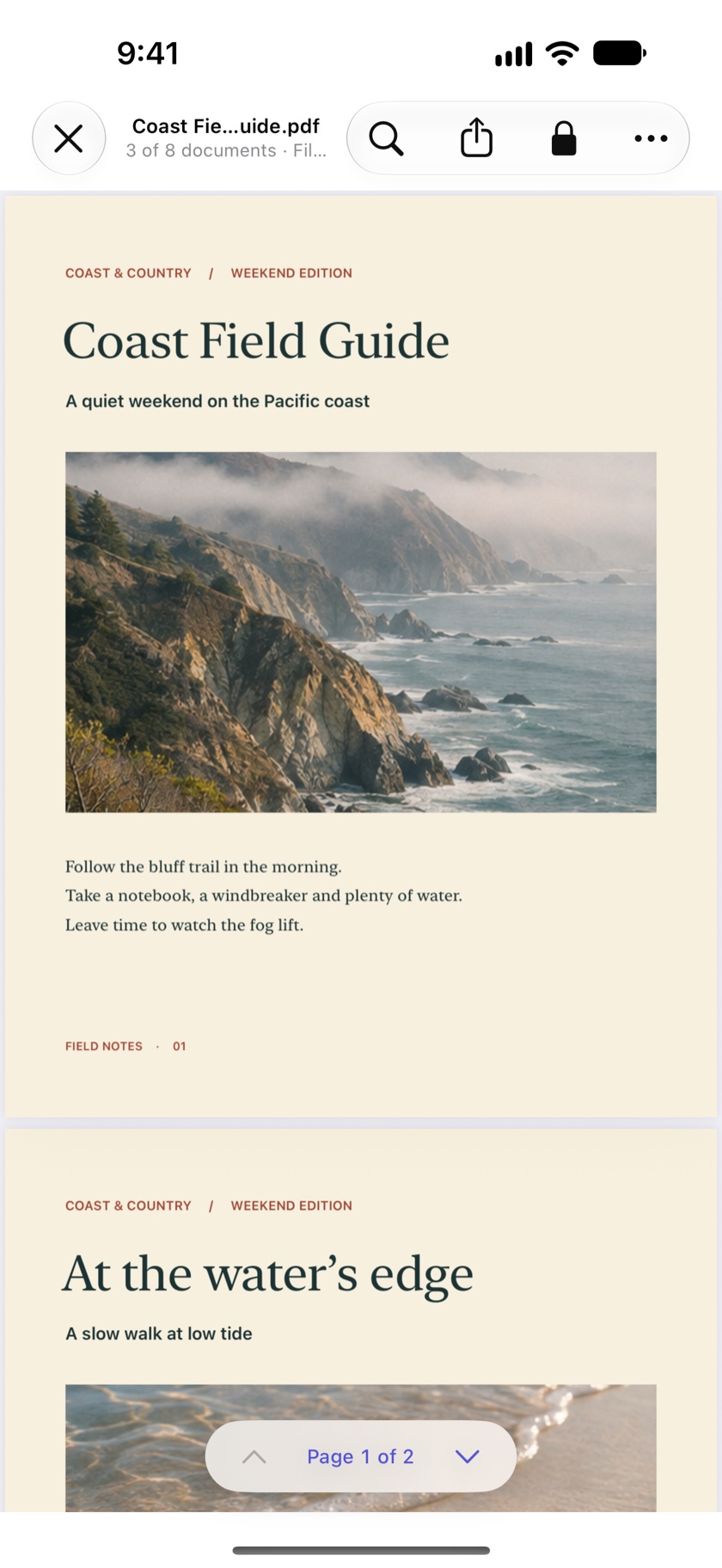
  • PDF & text readers: Page controls, selectable text, and in-document find.
  • Photo sequences: Swipe paging, pinch zoom, timed slideshows, and saved 90° rotation.
  • Nothing leaks out: Temporary previews stay in memory and wipe when you lock or leave.
Photos
Videos
PDFs
Audio
Archives
Text
Claspbox file grid on iPhone showing encrypted photos, PDFs, videos, and folders
Built-in Claspbox PDF reader displaying Coast Field Guide with page controls
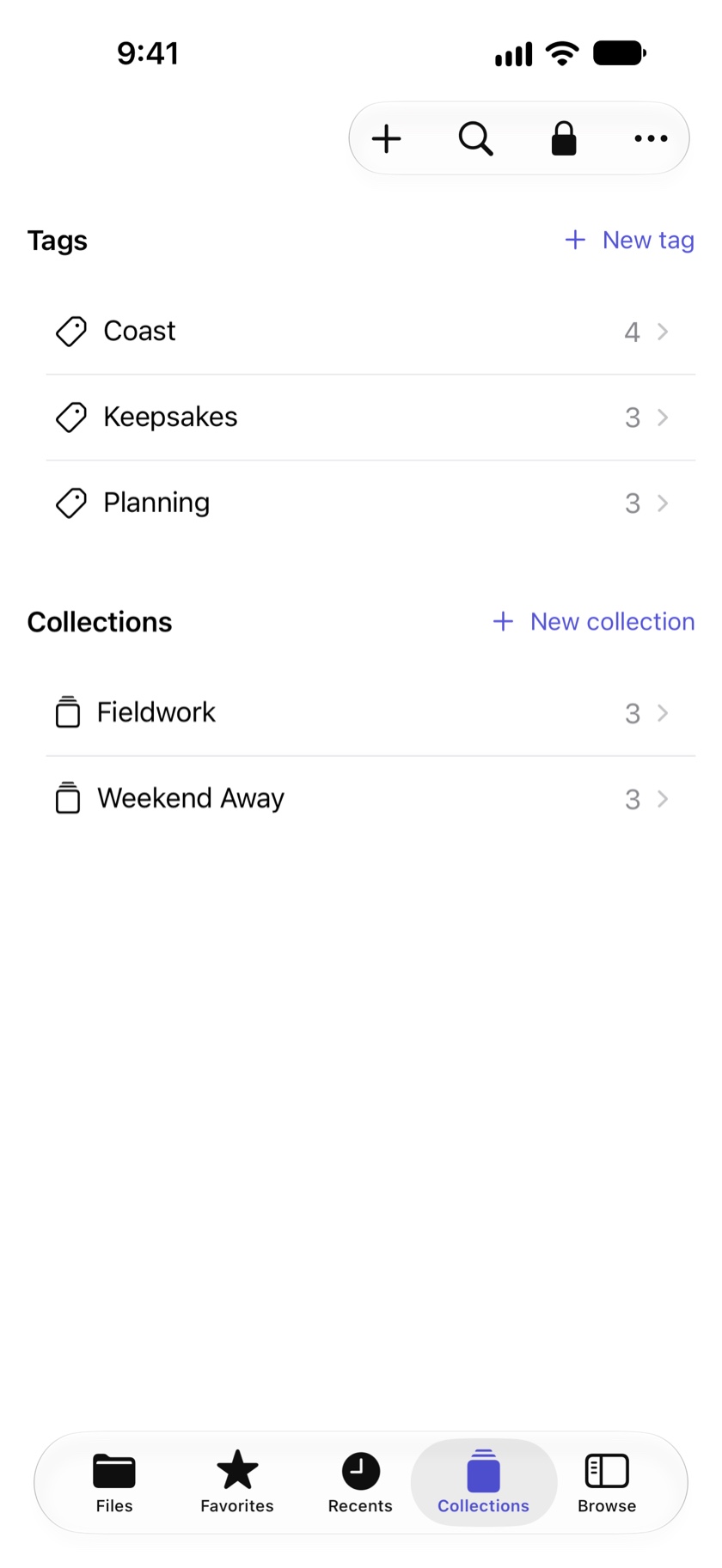
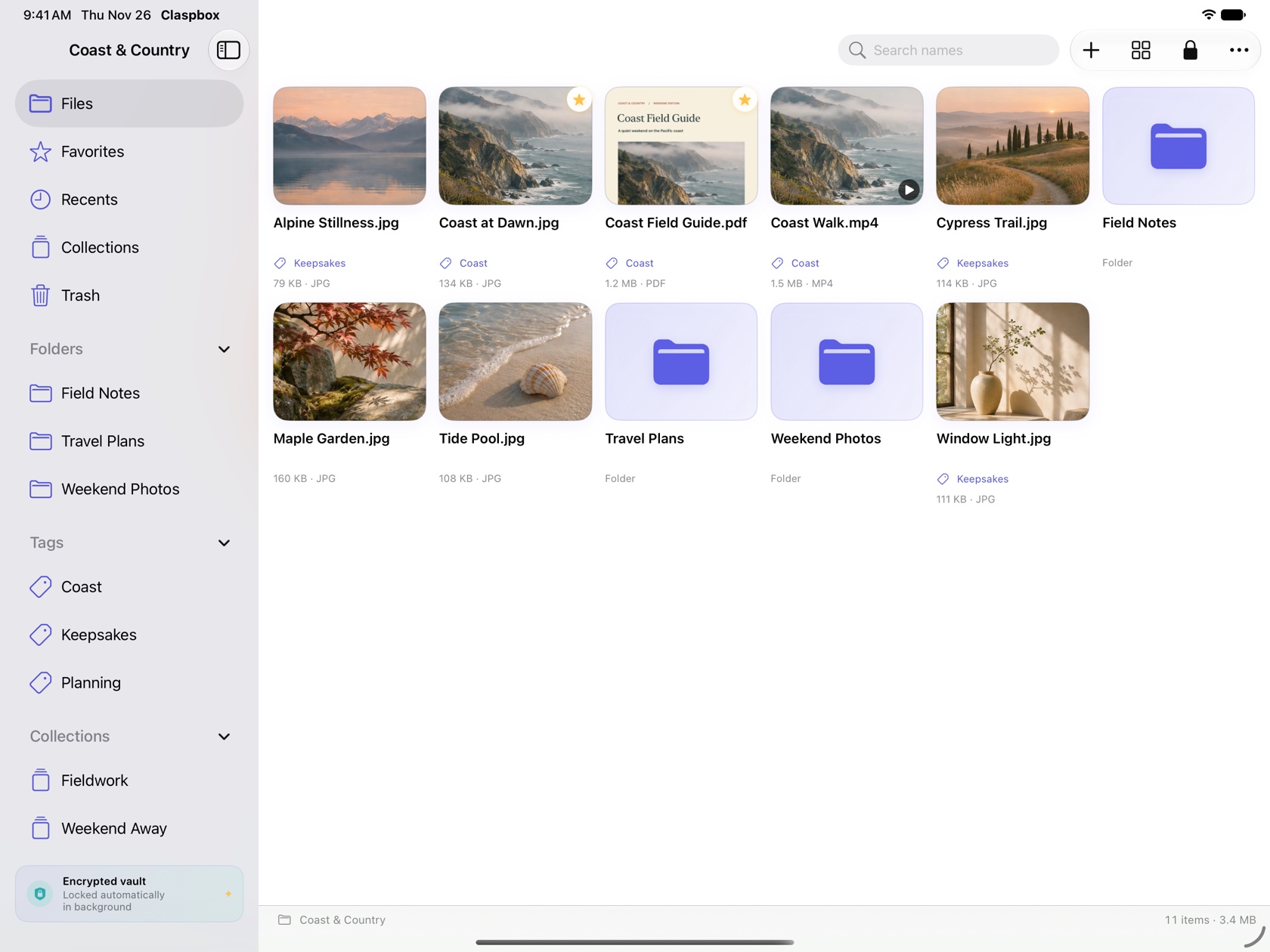
Claspbox on 13-inch iPad with pinned sidebar showing folders, tags, collections, and encrypted vault status

Across your Apple devices

Feels at home on every screen, and soon in space.

One quiet, consistent design language adapted natively for pocket browsing on iPhone, wide workspaces on iPad and Mac, and upcoming spatial windows on Apple Vision Pro.

  • Full keyboard & sidebar control. Pin nested folders, tags and collections beside your files, and navigate with hardware shortcuts like ⌘1–4 and ⇧⌘L to lock instantly.
  • Import from anywhere, export anytime. Bring files in from the share sheet, Files, folders, ZIPs, or the camera, and batch-export ordinary copies or ZIPs whenever you want.
  • visionOS on the way. Built to bring the same encrypted iCloud library and distraction-free viewers to Apple Vision Pro.

Security & Open Verification

Private by design, and verifiable without trusting us.

Claspbox has no servers that hold your files, no account system, and no analytics SDKs. Every file, name, and preview is encrypted on your device before it touches disk or iCloud Drive.

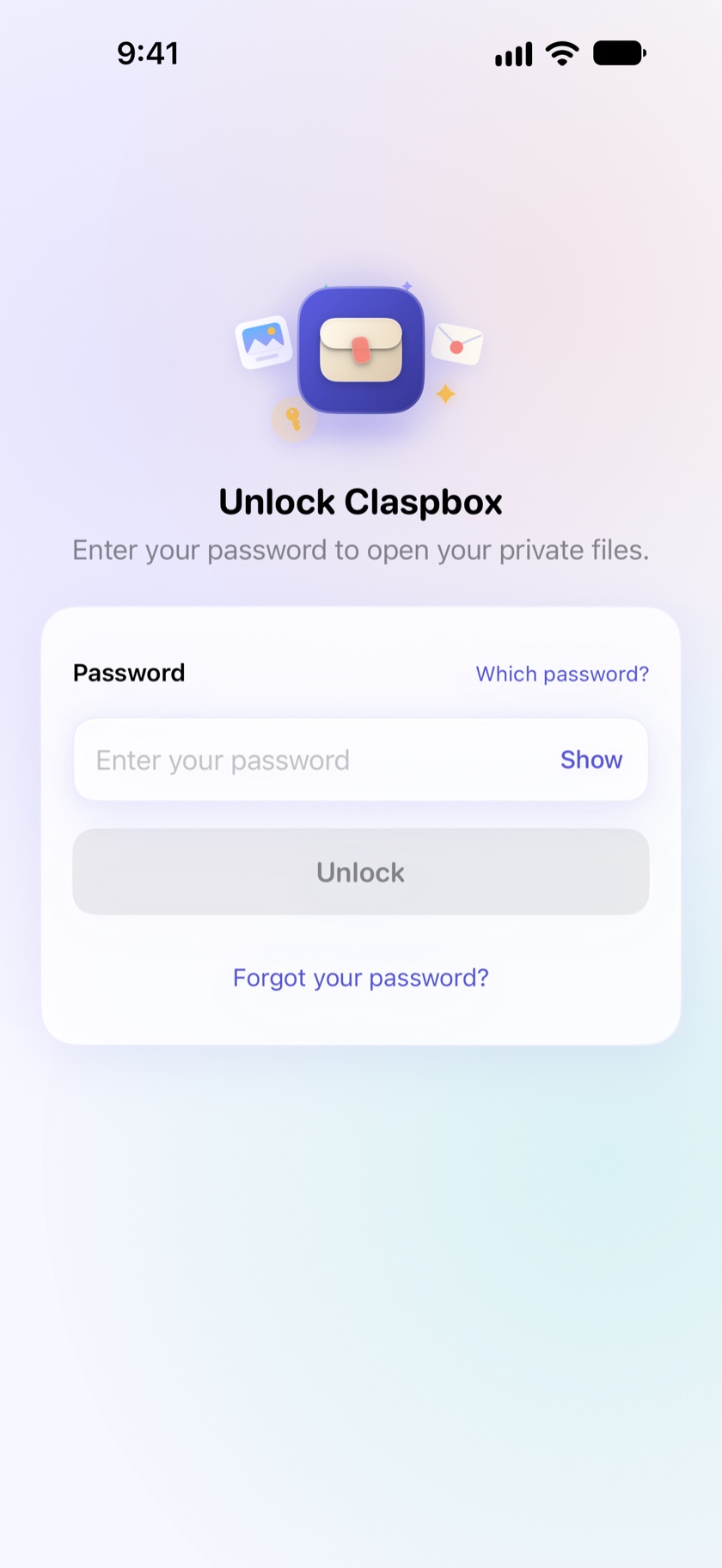
Neutral Lock Screen

Enter any password

No vault names, counts, or previews appear while locked.

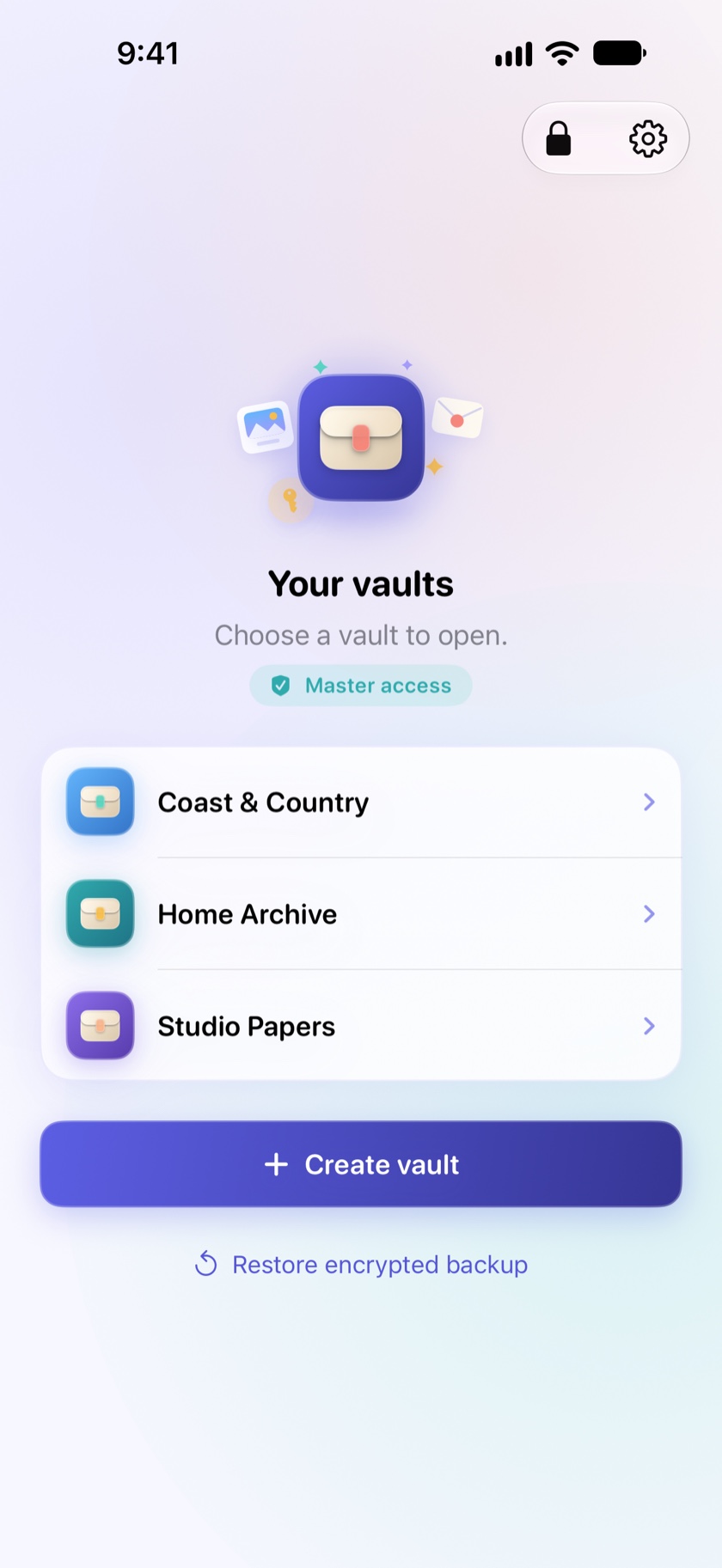
Master Password

Opens your full catalog

Browse all enrolled vaults, create new ones, export backups, or restore from recovery keys.

Single Vault Password

Opens only that vault

Zero catalog, zero switcher, and no indication that any other vault exists on the device.

File & Metadata Encryption

AES-256-GCM everywhere

Each file uses chunked authenticated framing (SVFILE01) with unique 256-bit derived keys, 12-byte random nonces, and 16-byte authentication tags. File names, folder trees, tags, collections, and cached thumbnails are all encrypted.


Key Derivation

PBKDF2 + HKDF subkeys

Each vault generates a random 256-bit data key wrapped with PBKDF2-HMAC-SHA256 (600,000 rounds, 32-byte salt) and separately wrapped with your 64-character recovery key. Per-file and metadata subkeys derive via HKDF-SHA256.

Zero Lock-In · SecureVaultCrypto

Open format & offline verifier

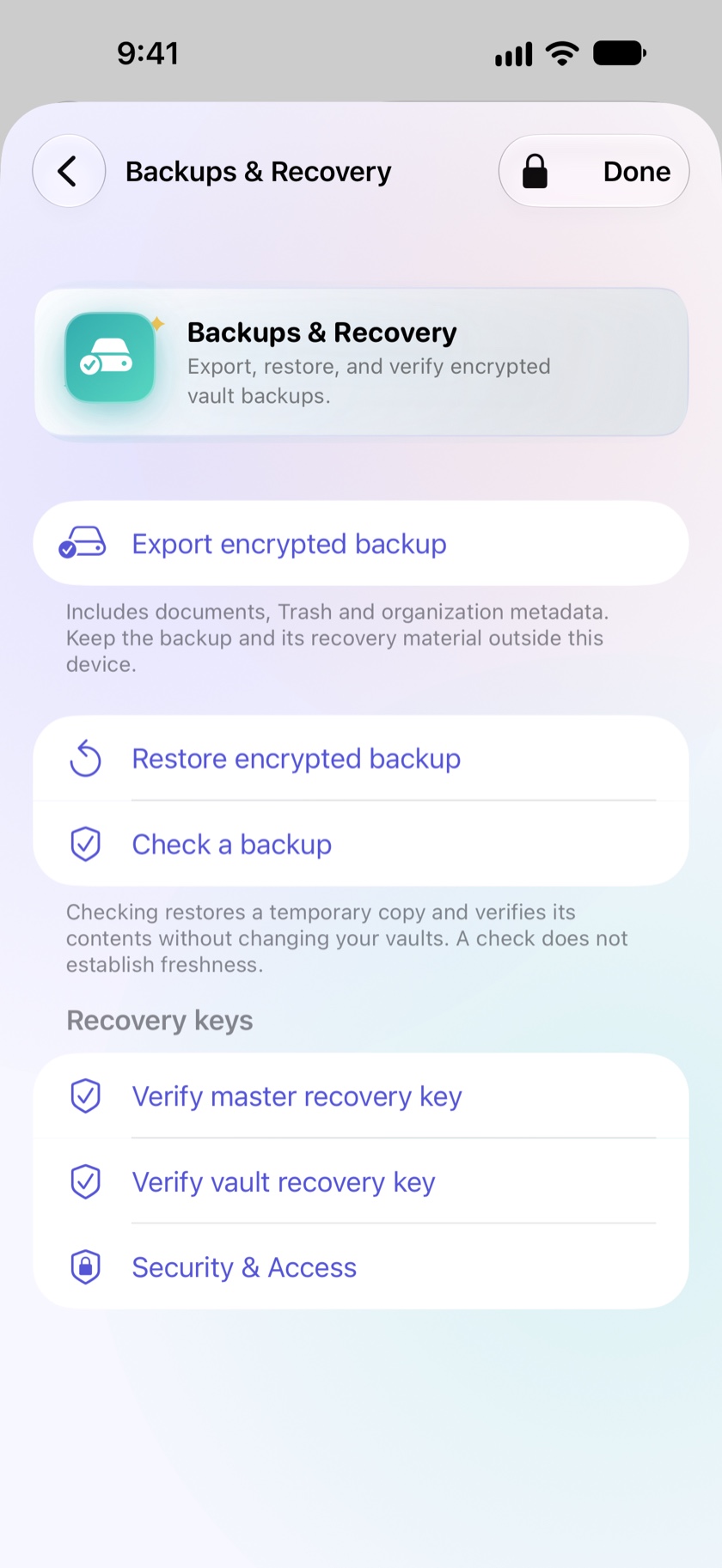
Portable encrypted backups (SVBACK) follow a documented byte-level specification and pair with an independent offline verifier & decryptor (a native Swift CLI and a zero-Apple-framework Python tool), so you can verify and decrypt your own backups forever.

Independent offline backup verification (zero Apple frameworks required)
# Verify every encrypted file in a backup offline
python3 svback_verify.py verify vault-backup.svback

# Or decrypt directly using your password or 64-char recovery key
python3 svback_verify.py decrypt vault-backup.svback --output ./restored

16 handcrafted icons

Hide it in plain sight.

Choose from 16 app icons across Signature, Mood & Abstract, and Discreet styles, including icons that blend in as a calculator, weather app, notebook, or compass. Every icon supports Light, Dark, and Tinted appearances and is included free.

Signature

8 Claspbox designs · Pocket Box is the default
Pocket Box app icon
Pocket Box
Folded C app icon
Folded C
The Clasp app icon
The Clasp
Keepsake app icon
Keepsake
Interlock app icon
Interlock
Quiet Object app icon
Quiet Object
Cloud Box app icon
Cloud Box
Ember Box app icon
Ember Box

Mood & Abstract

4 minimalist designs
Solstice app icon
Solstice
Horizon app icon
Horizon
Botanical app icon
Botanical
Monolith app icon
Monolith

Discreet

4 everyday home-screen disguises
Calculator discreet app icon
Calculator
Weather discreet app icon
Weather
Notes discreet app icon
Notes
Compass discreet app icon
Compass

Plain answers

Questions worth asking before you lock anything away.

What happens if I forget my password?

We cannot reset a password or unlock a vault for you, because your keys never leave your devices. Each vault generates a 64-character recovery key that you should store somewhere safe outside the device. It is the only way back in without your password.

Can Dynadel or Apple read my iCloud library?

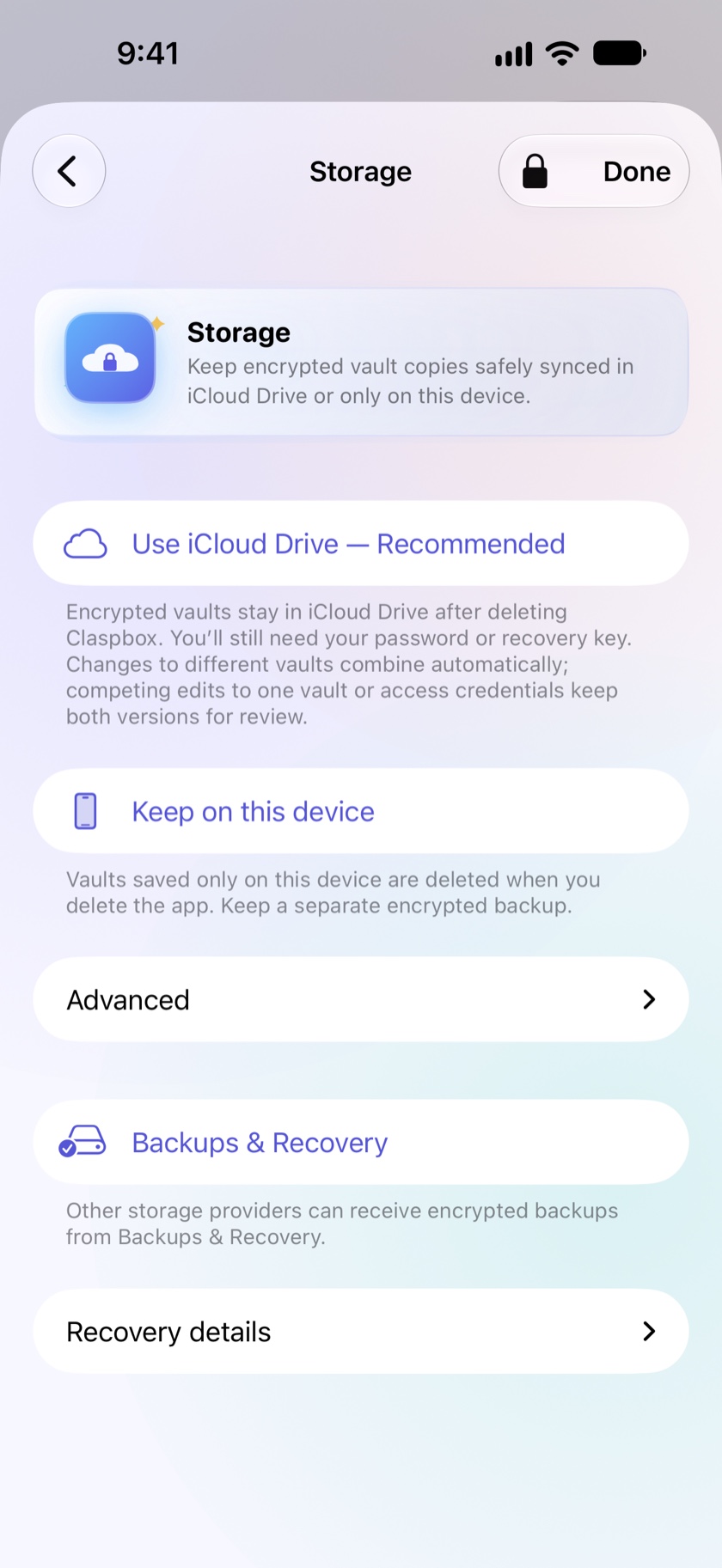
No. If you enable the optional iCloud library, Claspbox encrypts every file, filename, and metadata record on your device before writing to a folder in your own iCloud Drive. Dynadel has no servers and no access to your iCloud Drive or keys.

What happens if I delete the app?

Vaults stored only on your device are deleted when iOS or macOS removes the app. If you've set up an encrypted iCloud library or exported a separate encrypted backup, your vaults stay safe outside the app and can be reopened after reinstalling.

Am I locked into Claspbox if I ever want to leave?

Never. You can export individual files or entire folders as ordinary ZIP archives at any time. For long-term archives, Claspbox also exports documented SVBACK encrypted backups that can be verified and decrypted completely offline with our independent Python or Swift CLI tool.

Does Claspbox work completely offline?

Yes. Unlocking, browsing, searching, viewing, importing, and exporting encrypted backups all work without an internet connection. The network is only used when you opt into iCloud Drive sync.

Which Apple devices will Claspbox support?

Claspbox is built natively for iPhone, iPad, and Mac, with Apple Vision Pro (visionOS) support on the way. An encrypted iCloud library lets your vaults stay seamlessly synced across all of them.

Claspbox cream keepsake box with a coral clasp resting on warm paper against deep teal

Coming soon on the App Store

We can't see your files. Nobody else can either.

No account system, no analytics SDKs, and no ads. Launching soon for iPhone, iPad, Mac, and Apple Vision Pro. Read the Privacy Policy for the complete details.

Coming soon · iPhone, iPad, Mac & visionOS Get in touch →